

Your numbers every morning, without asking anyone for them
Everything sold, bought and spent reaches the reports the moment it is recorded. Open the owner’s dashboard to see your day at a glance, and open a report to see why.
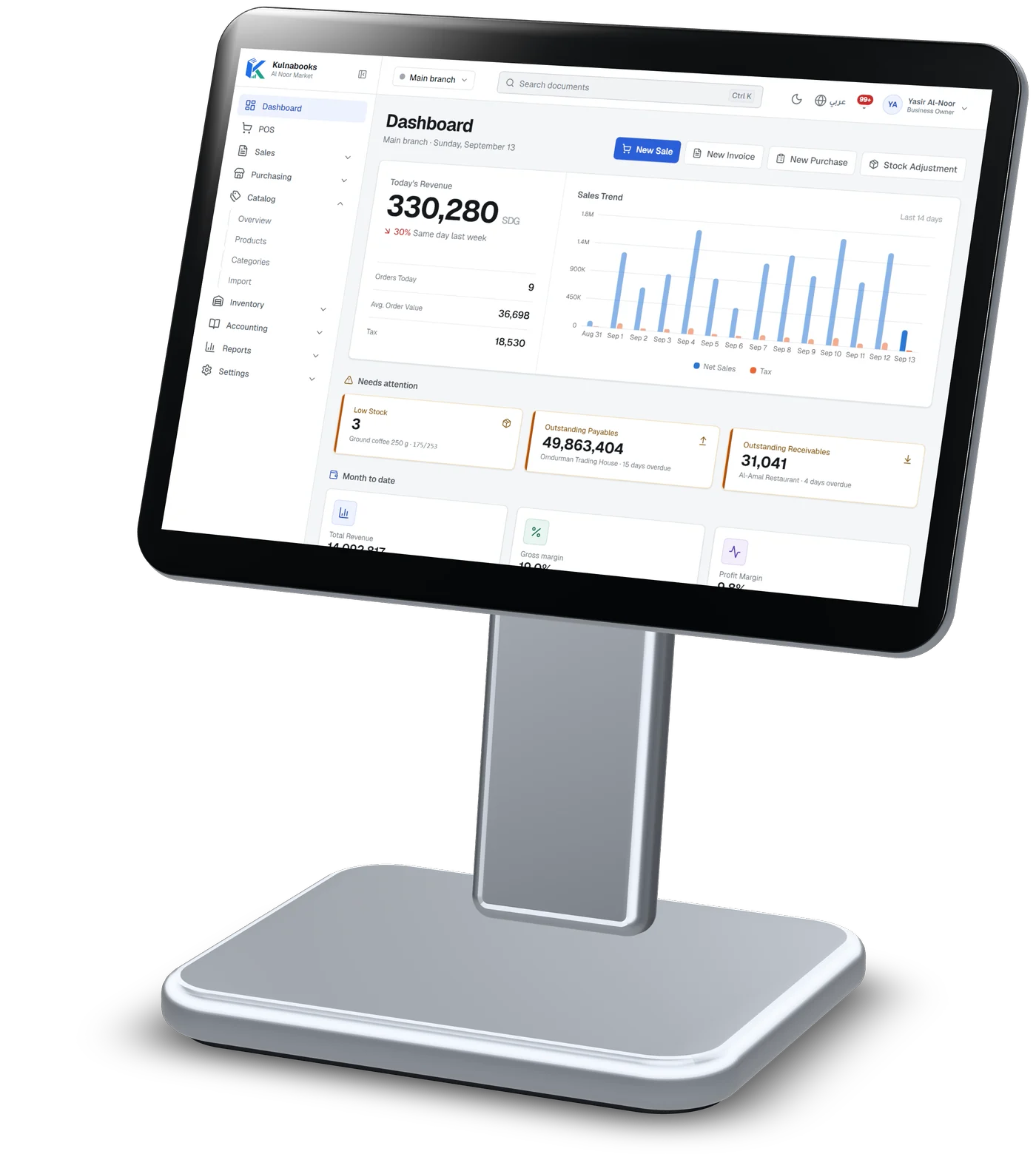
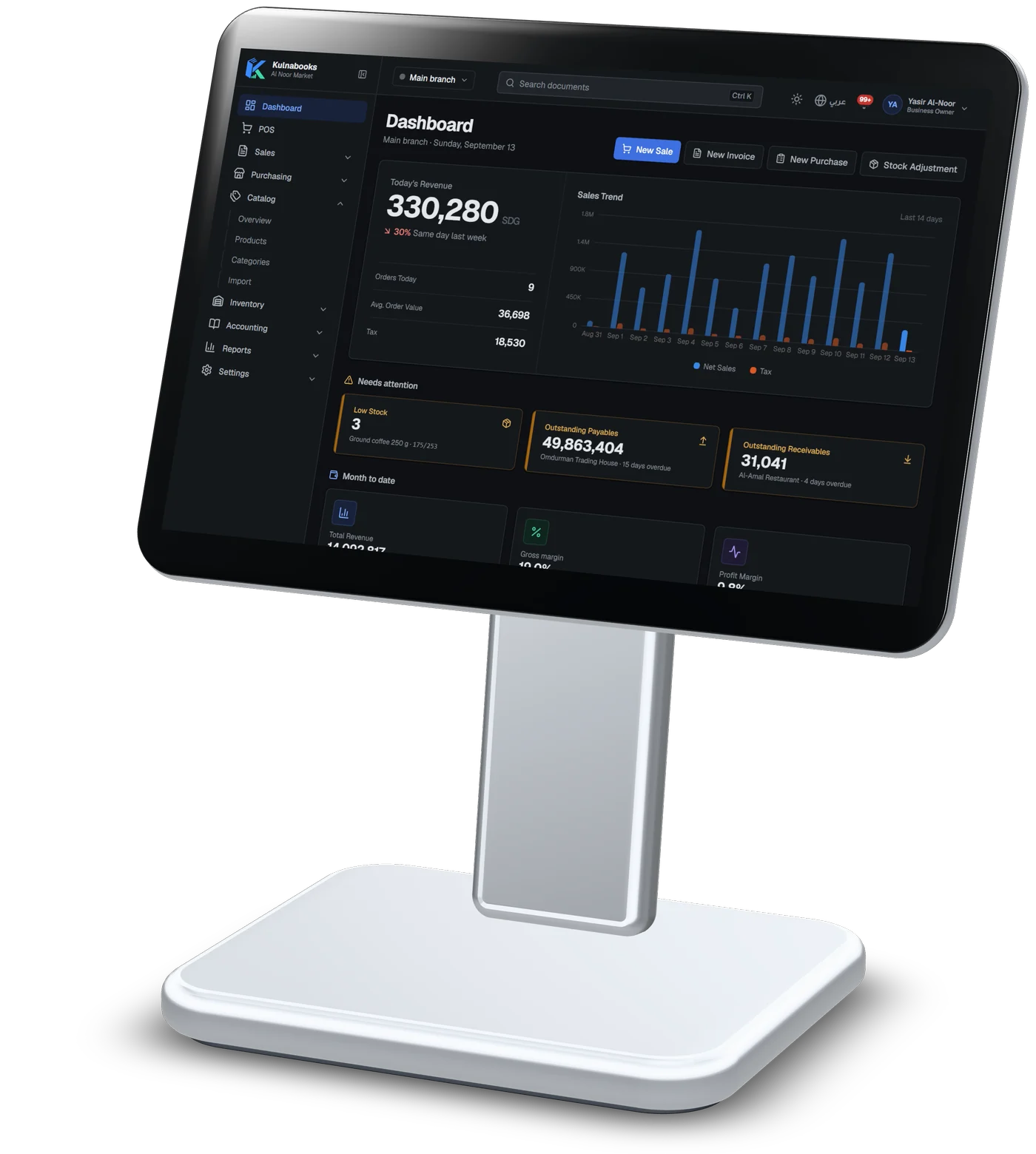
The owner’s dashboard
Today’s revenue against the same day last week, the number of orders and their average value, sales over the last fourteen days, the month’s net sales with gross and net margin, and the best-selling products.
What needs your attention
Low stock, overdue money owed to you and by you, and shifts that closed short this week, at the top of the dashboard, not in a report you have to remember to open.
A dashboard for each role
Owners, managers, accountants and cashiers each get their own dashboard, and each shows only what that person’s permissions allow. With more than one branch, the owner’s dashboard compares them.
Operational reports
Sales summary, purchase summary and margin; stock balances, movements and low stock; POS shifts; price changes; and promotion usage.
Financial and tax reports
Income statement, balance sheet, cash flow, trial balance and general ledger; receivables and payables aging; the VAT report; and the audit log.
Filter and export
Filter any report by branch and period, and export most of them to PDF, Excel or CSV for your accountant or your partner.
Reports are not e-mailed or scheduled yet: open them whenever you need them.
And behind every figure, a report
The sales summary: net sales day by day as a chart, then each day’s invoices, discounts, tax and returns, filtered by branch and period, and exported to PDF, Excel or CSV.
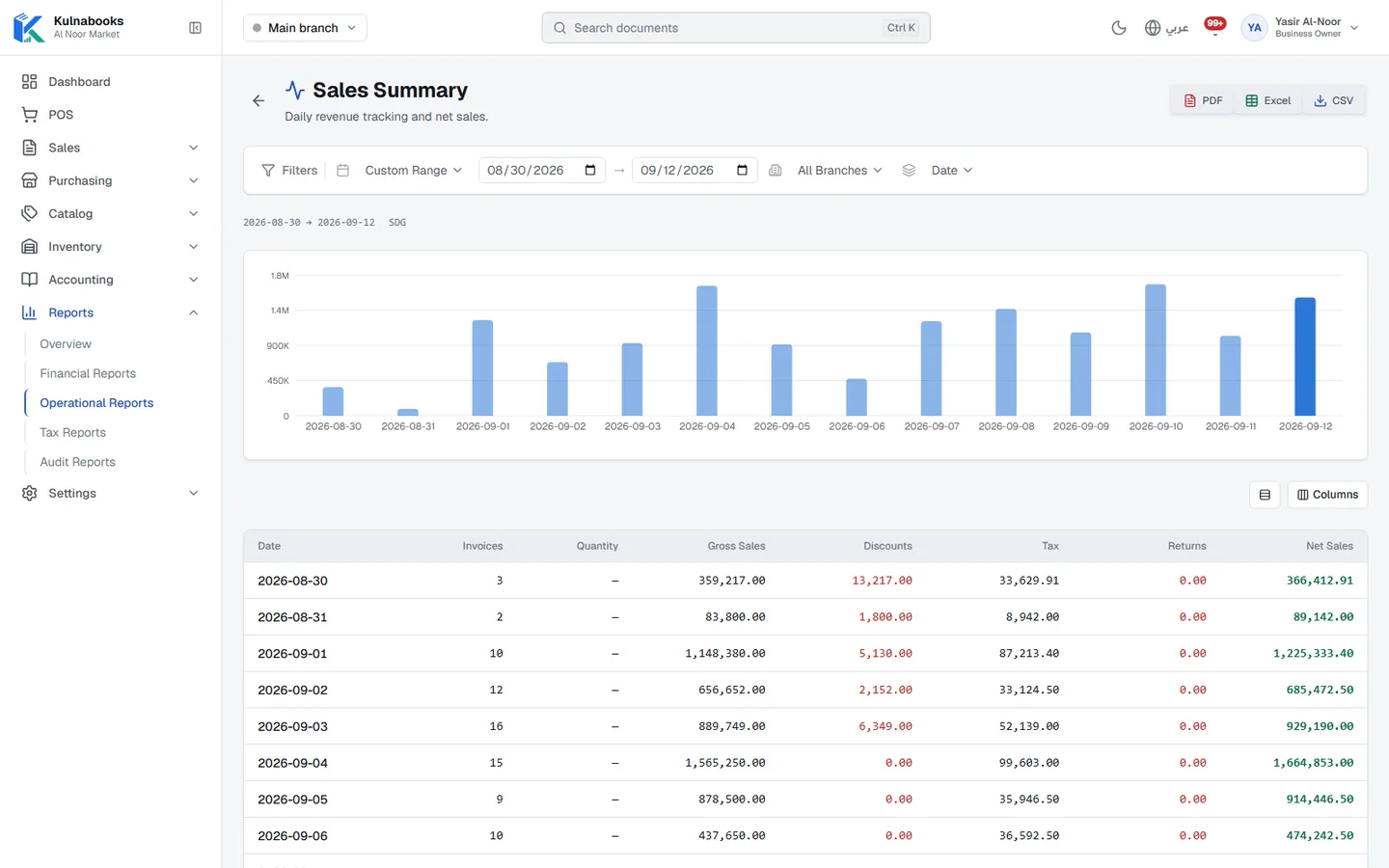
Screens from a demo shop. Figures are sample data.
More of the platform
Purchasing & suppliers
Purchase orders, part deliveries and supplier balancesGoods & stock
Every item’s stock in every branch, with barcodes and expiryThe till
Barcodes, receipts and shifts, in a browser or on WindowsCash & bank transfer payments
Each transfer with its reference, and the drawer counted at shift closeOffers & coupons
Automatic or coded discounts, with dates and limitsInvoices & quotes
PDF invoices with a QR code, and quotes that become invoicesCustomers & credit
A credit limit for each customer, and a PDF statementCounter hardware
Thermal printer, barcode scanner and cash drawerAccounts
Entries that post themselves from every sale and purchaseBranches & team
Each branch its own figures, each person their own permissions
Open your shop in Kulnabooks
Sign up, name your business and your first store, and start adding products.